Introduction
Short and sweet: A new Update Rollup is available for download and installation for System Center Configuration Manager Current Branch 1806. More about the rollup itself and it’s fixes here: https://support.microsoft.com/en-us/help/4462978/system-center-configuration-manager-version-1806-update-rollup
This is a quick walk trough of the installation for those who’s interested 🙂
Download and installation
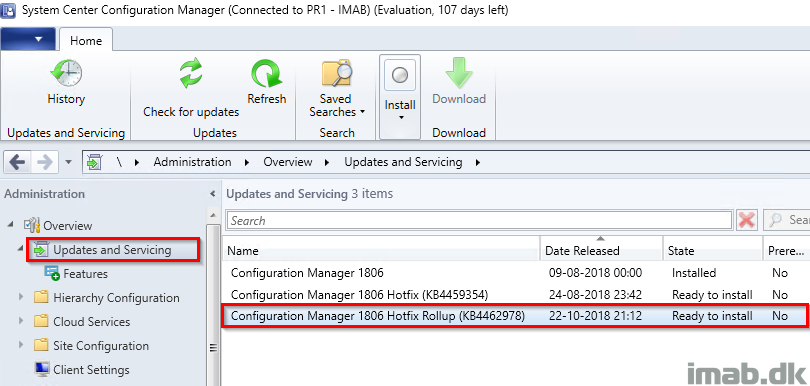
- Head into the SCCM console in the Administration work space and browse to Updates and Servicing
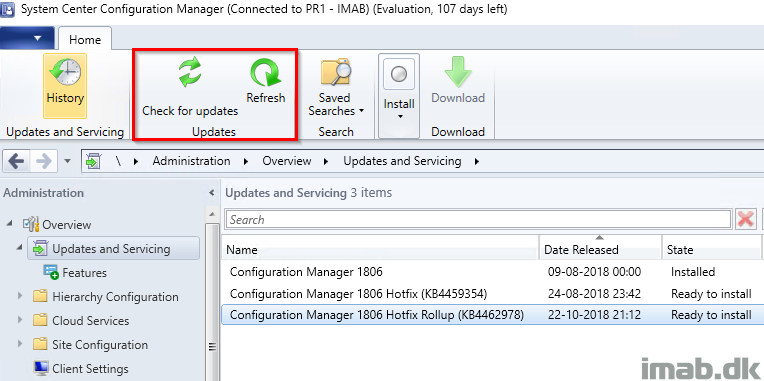
- If you don’t initially see the rollup, click on Check for updates and Refresh.
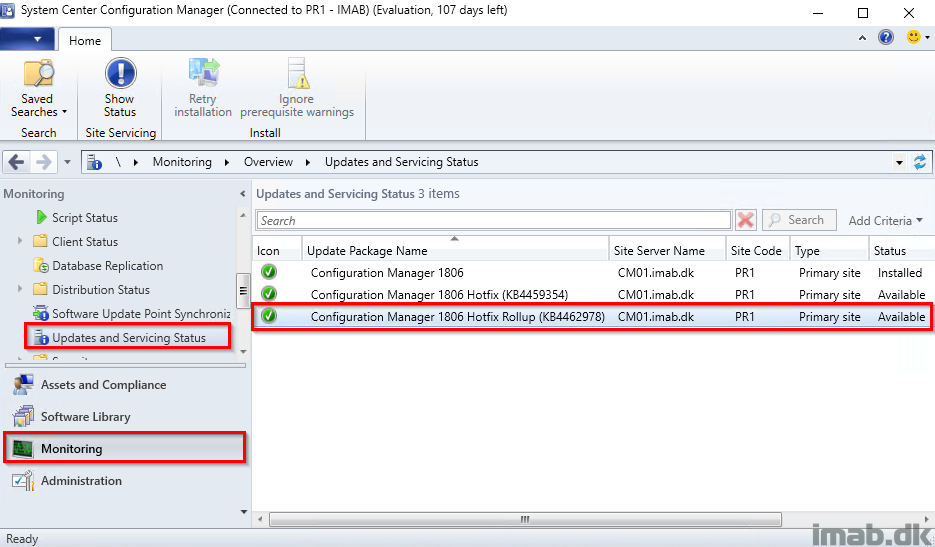
- The download and installation process can be monitored in the Monitoring work space, in the Updates and Servicing Status node
- The sync and download process can also be monitored in the site server log file: dmpdownloader.log
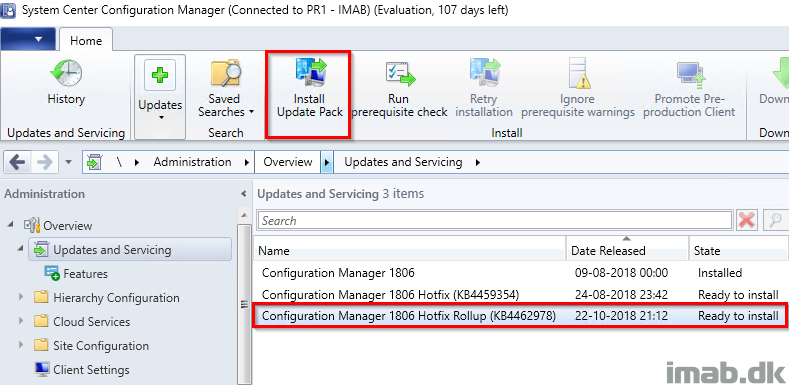
- Install the update rollup by selecting the update and click Install Update Pack in the ribbon
- Complete the Configuration Manager Updates Wizard with your preferences. See below illustrations for your convenience
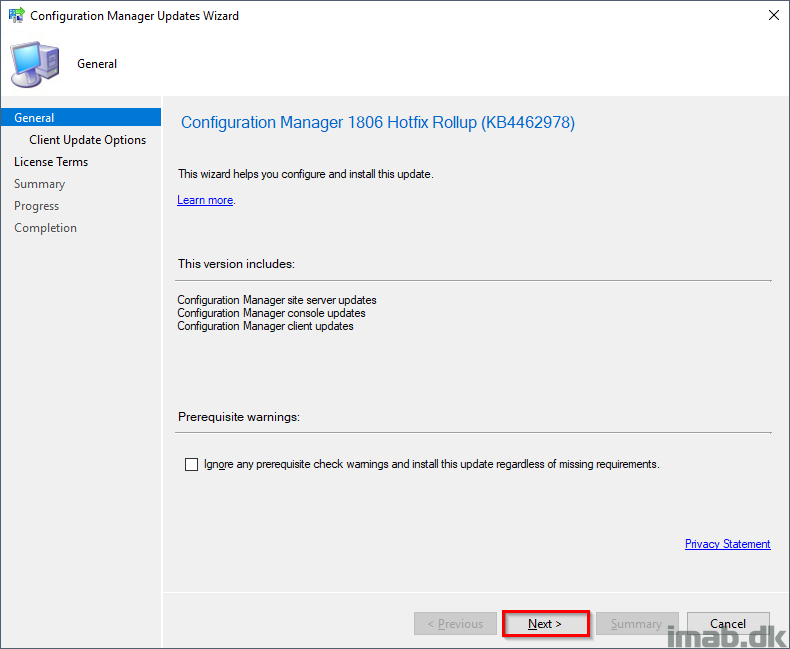
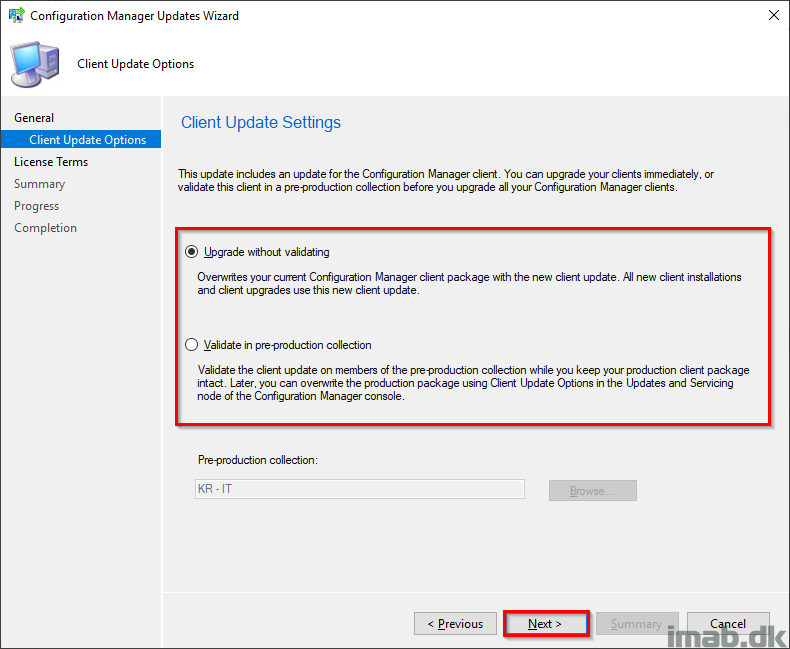
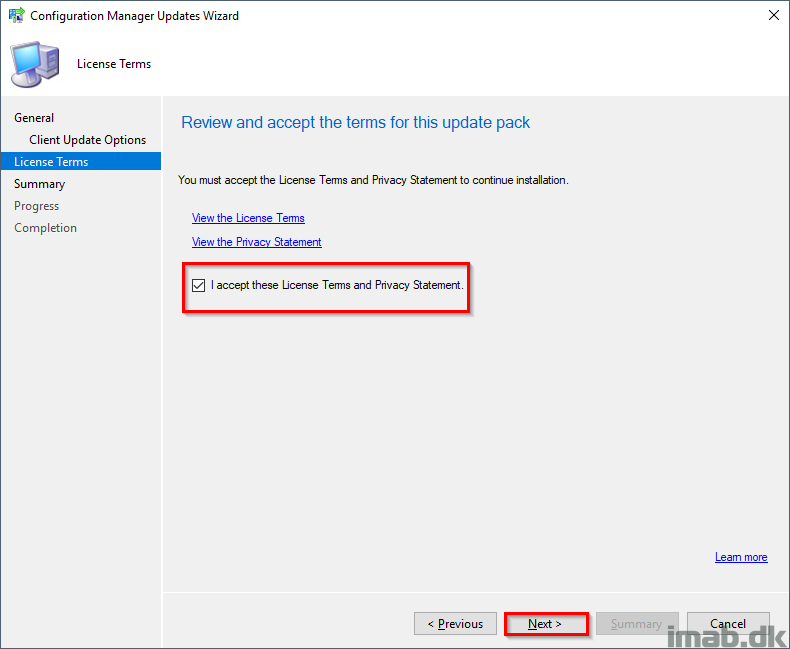
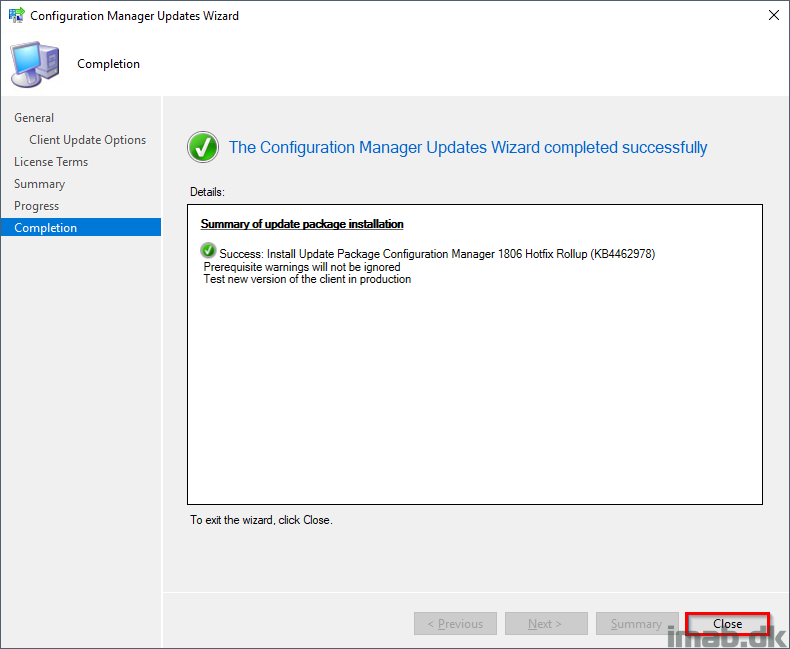
- Again, monitor the installation back in the Monitoring work space in the Updates and Servicing Status node
- The installation process can also be monitored in the site server log file: CMupdate.log
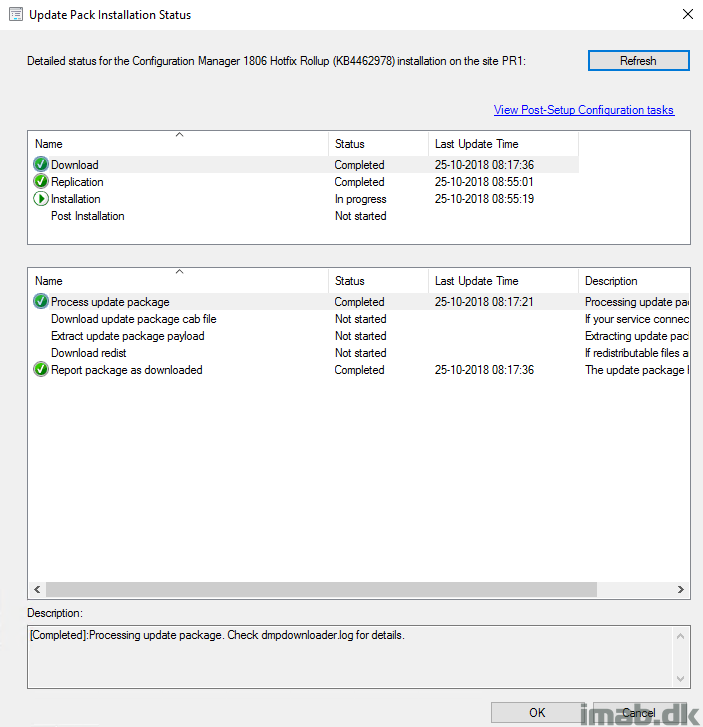
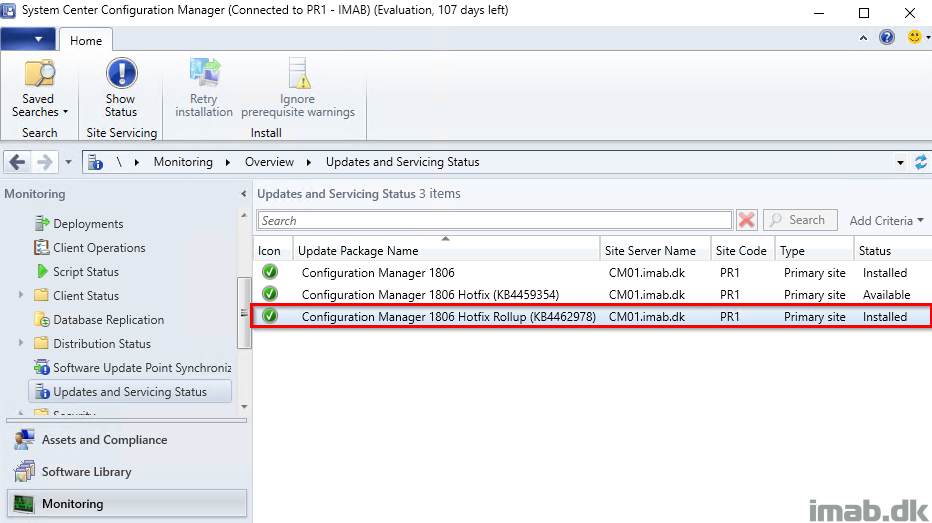
- And eventually, you will find the update rollup to be installed
- Note that this brings a new version of the client and the console 🙂
Enjoy 🙂
Our Prerequisite check keeps failing? Any ideas?
However in the show statues there are no errors?